
Hub documentation
流式数据集
流式数据集
集成库
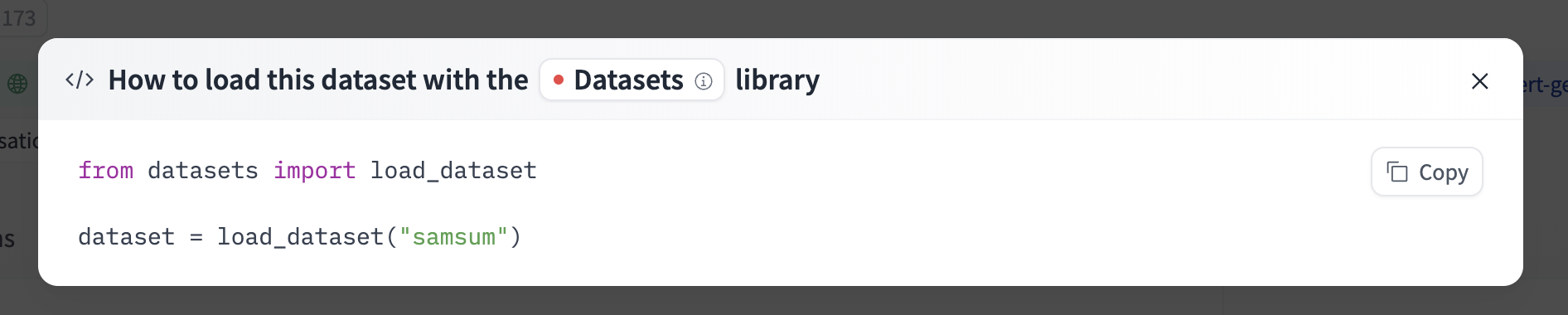
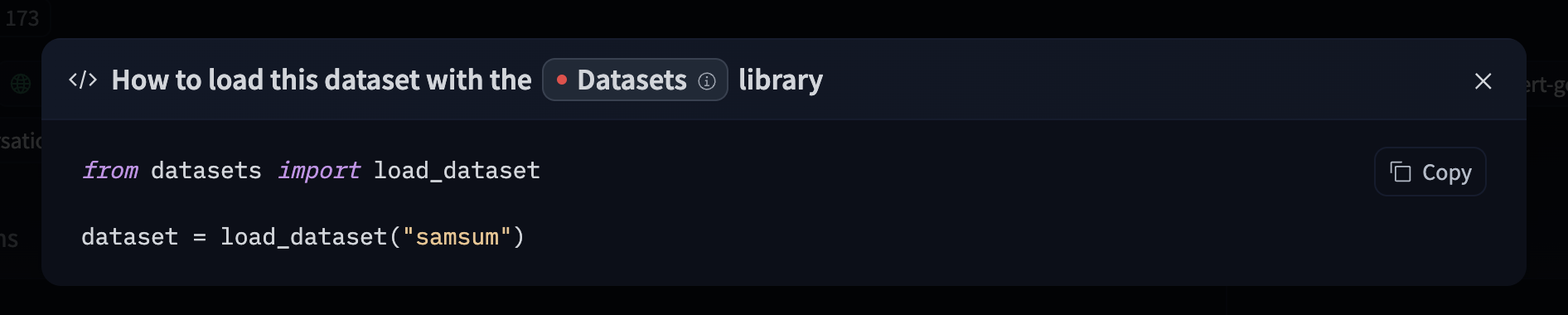
If a dataset on the Hub is compatible with a supported library that allows streaming from Hugging Face, streaming the dataset can be done in just a few lines. For information on accessing the dataset, you can click on the “Use this dataset” button on the dataset page to see how to do so. For example, knkarthick/samsum shows how to do so with datasets below.
使用 Hugging Face 客户端库
你可以使用 huggingface_hub 库来创建、删除和访问仓库中的文件。例如,要在 Python 中流式加载 allenai/c4 数据集,只需安装该库(建议使用最新版本)并运行以下代码。
pip install -U huggingface_hub
from huggingface_hub import hffs

repo_id = "allenai/c4"
path_in_repo = "en/c4-train.00000-of-01024.json.gz"

# Stream the file
with hffs.open(f"datasets/{repo_id}/{path_in_repo}", "r", compression="gzip") as f:
    print(f.readline())  # read only the first line
    # {"text":"Beginners BBQ Class Taking Place in Missoula!...}
有关更多信息,请参阅 HfFileSystem 文档。
你也可以将其集成到你自己的库中!例如,你可以使用 Pandas 快速以批次方式流式读取 CSV 数据集。
import pandas as pd

repo_id = "YOUR_REPO_ID"
path_in_repo = "data.csv"

batch_size = 5

# Stream the file
with hffs.open(f"datasets/{repo_id}/{path_in_repo}") as f:
    for df in pd.read_csv(f, iterator=True, chunksize=batch_size):  # read 5 lines at a time
        print(len(df))  # 5
流式处理在逐步读取 Hugging Face 上的大文件或仅读取其中一小部分时尤为有用。
例如,tarfile 可以遍历 TAR 归档中的文件,zipfile 可以从 ZIP 归档中读取文件,而 pyarrow 可以访问 Parquet 文件的行组。
在 OpenDAL 中有一个等效的 Rust 文件系统实现。
使用 cURL
由于 Hub 上的所有文件均可通过 HTTP 访问,您可以使用 cURL 流式传输文件:
>>> curl -L https://huggingface.co/datasets/fka/awesome-chatgpt-prompts/resolve/main/prompts.csv | head -n 5
"act","prompt"
"An Ethereum Developer","Imagine you are an experienced Ethereum developer tasked with creating...
"SEO Prompt","Using WebPilot, create an outline for an article that will be 2,000 words on the ...
"Linux Terminal","I want you to act as a linux terminal. I will type commands and you will repl...
"English Translator and Improver","I want you to act as an English translator, spelling correct...
使用范围请求来访问文件的特定部分:
>>> curl -r 40-88 -L https://huggingface.co/datasets/fka/awesome-chatgpt-prompts/resolve/main/prompts.csv
Imagine you are an experienced Ethereum developer
使用 访问令牌 从私有仓库流式传输:
>>> export HF_TOKEN=hf_xxx
>>> curl -H "Authorization: Bearer $HF_TOKEN" -L https://huggingface.co/...
流式 Parquet
Parquet 是 AI 数据集的绝佳格式。它提供良好的压缩能力、用于高效处理和投影的列式结构,以及用于快速过滤的多级元数据,适用于各种规模的数据集。
Parquet 文件被划分为行组(row groups),每个行组通常约为 100MB。这使得数据加载器和数据处理框架能够以流式方式逐步读取数据,按行组进行迭代。
行组内部是各个列,这些列被划分为页。页是大小约为 1MB 的压缩块,其中包含实际数据。
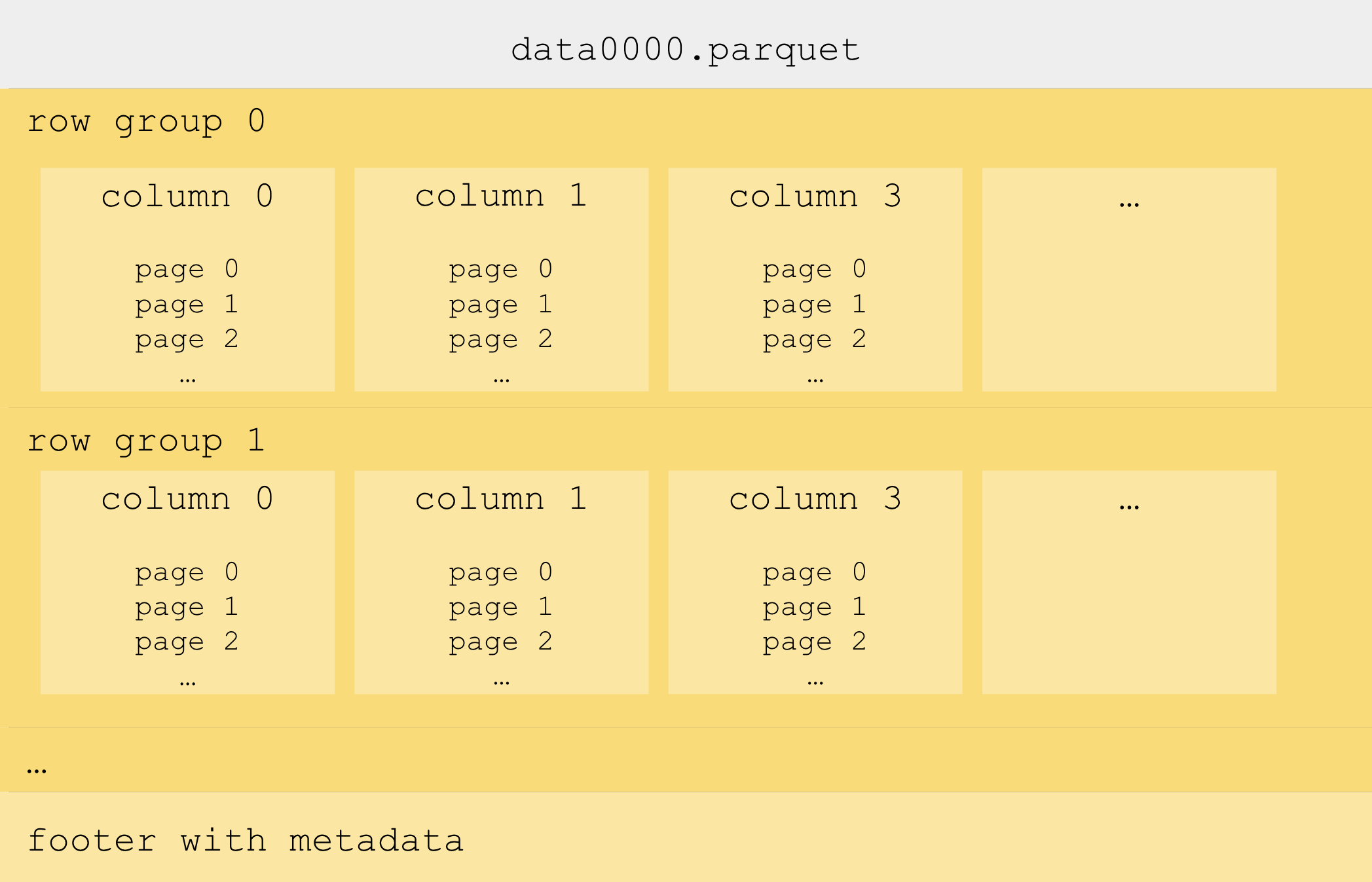
流式行组
使用 PyArrow 从 Hugging Face 上的 Parquet 文件中流式读取行组:
import pyarrow.parquet as pq

repo_id = "HuggingFaceFW/finewiki"
path_in_repo = "data/enwiki/000_00000.parquet"

# Stream the Parquet file row group per row group
with pq.ParquetFile(f"hf://datasets/{repo_id}/{path_in_repo}") as pf:
    for row_group_idx in range(pf.num_row_groups):
        row_group_table = pf.read_row_group(row_group_idx)
        df = row_group_table.to_pandas()
PyArrow 原生支持
hf://路径,并自动使用HfFileSystem
有关更多信息,请参阅 PyArrow 文档。
高效随机访问
行组进一步划分为列,列再划分为页。页的大小通常约为 1MB,是 Parquet 中最小的数据单元,因为压缩正是在页级别应用的。访问页可以加载特定的行,而无需加载整个行组,前提是 Parquet 文件包含页索引。然而,并非所有 Parquet 框架都支持页级别的读取。例如,PyArrow 不支持,但 Rust 中的 parquet crate 支持:
use std::sync::Arc;
use object_store::path::Path;
use object_store_opendal::OpendalStore;
use opendal::services::Huggingface;
use opendal::Operator;
use parquet::arrow::async_reader::ParquetObjectReader;
use parquet::arrow::ParquetRecordBatchStreamBuilder;
use futures::TryStreamExt;

#[tokio::main]
async fn main() -> Result<(), Box<dyn std::error::Error>> {
    let repo_id = "HuggingFaceFW/finewiki";
    let path_in_repo = Path::from("data/enwiki/000_00000.parquet");
    let offset = 0;
    let limit = 10;

    let builder = Huggingface::default().repo_type("dataset").repo_id(repo_id);
    let operator = Operator::new(builder)?.finish();
    let store = Arc::new(OpendalStore::new(operator));
    let reader = ParquetObjectReader::new(store, path_in_repo.clone());
    let batch_stream =
        ParquetRecordBatchStreamBuilder::new(reader).await?
            .with_offset(offset as usize)
            .with_limit(limit as usize)
            .build()?;
    let results = batch_stream.try_collect::<Vec<_>>().await?;
    println!("Read {} batches", results.len());
    Ok(())
}
在 Rust 中,我们使用 OpenDAL 的
Huggingface服务,它相当于 Python 中的HfFileSystem。
在 PyArrow 中传入 write_page_index=True 以包含页面索引,从而实现高效的随机访问。
这会在 Parquet 列中显著添加 “offset_index_offset” 和 “offset_index_length”,您可以在 Hugging Face 上的 Parquet 元数据查看器 中看到它们。
页面索引还能加速 Hugging Face 数据集查看器,并使其能够显示数据而不受行组大小限制。